 I decided to write a small series of articles about application icons and logos.
Let me start with the little disclaimer that you should take everything I write with a grain of salt. I have no formal education in design, art, or whatsoever. Sure, I read books and online articles about it, and I believe I have a good intuition, but there is a real chance, that I am wrong about stuff. In this article, I write about my own opinion. And, while I am confident in what I believe is right and important, I might be wrong, or, at least, what I claim to be true might not be applicable in your situations. Whatever. Now that you have been warned, I am happy to spread my humble opinion on this topic.
In this first, short article I want to tell why I think this topic is important, and what are the differences between the “logo” and the “icon,” and why you want to have both.
Why is it important?
I am a software developer. So, my view is from this angle, and I am talking about logos and icons of software applications. But this is similarly true for more generic projects, smaller tools, software eco systems, websites, products, etc. All those are things we work on, we work for, we implement and deliver. And very often, if things are going well, those are things we are invested in. We want to deliver our best work, and we want to make those things successful, not just for the good of the company. If the projects are cool, and we like working on them, we want to succeed just because we want to.
To create this level of dedication and investment, it is beneficial if the object we are working on has an identity. The first and most important aspect is a name. We need to be able to call the project by its name. I am working on “that thing, you know,” does not really sound invested. But, when I am saying, “I worked a lot on MegaMol,” it gets personal. You do not have to start with a final title. A project title will work just fine. It might actually stick, like a nickname.
I am a visual person. Icons, logos, posters, covers, etc. this all helps me remembering things and recognizing this. Visual representations are very powerful in this regard. And this is exactly, where icons and a title come into play. Add those to your project or application, and you can boost the strength of the virtual identity.
What is the difference between Logo and Icon?
There is a subtle difference between a logo and an icon. A logo is a graphical representation of the title of your project. And the title is a written representation of your project. An icon is an often abstract, _iconic_ representation of your project itself. So, it always about the project. The icon does not have to be part of the title or does not have to be derived from the title. It does make sense to have visual connections between title and icon, but you do not have to force it. The easiest way is to include the icon in the title as graphical element.
A typical example is Mozilla’s FireFox.

The name is not really semantically connected to what it is. It is just a name. There is a ecosystem of matching names for matching application, though, but, for this example, it is not important.
The icon, or “Logomark” as Mozilla calls it in their documentation, is an iconic representation of the name. Very good.
And the logo is the name, the icon, any typographic specifications: font, sizes, spaces, etc. The logo then is a combined graphical entity. It is not just the icon and a text. And that is why you should not try to recreate it, and why the logo itself should be delivered as vector graphics without referencing any fonts. Often, it makes a lot of sense to adjust the fonts in the logo, to fine-tune kerning, modify shapes of specific characters, etc.
Summary
To have a strong identity for your project, you want to have a name, an icon, and a logo.
- The name will be used everywhere. I can be a preliminary name, a project name, or a nickname.
- The icon will be used in software application UIs, software executable icons, website favicons, websites small logos, etc.
- The icon is an _iconic_, graphical representation of the project, not necessarily of the name.
- The logo will be used as larger website logo, on presentations, and written documents.
- The logo should have visual connections to the icon, and logical connection to the name. It can be a combination of those elements.
Series
 Today I present you the Checkouts Overview tool.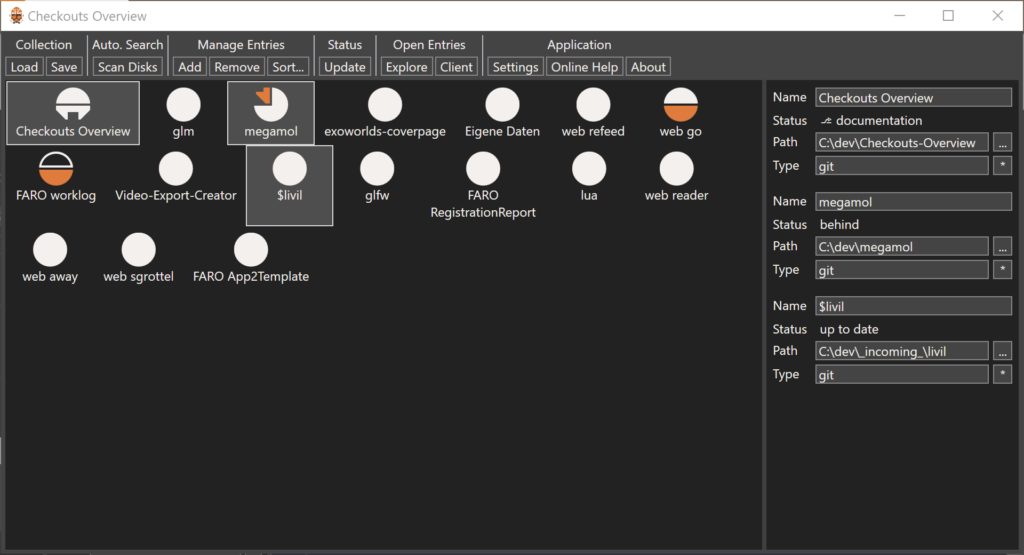
 For
For